Call us 24/7+91-9867228252
PAVAN ELECTRO SOURCE: โ€œEmpowering Innovation Through Electronics, Education & Technologyโ€
Call us 24/7+91-9867228252

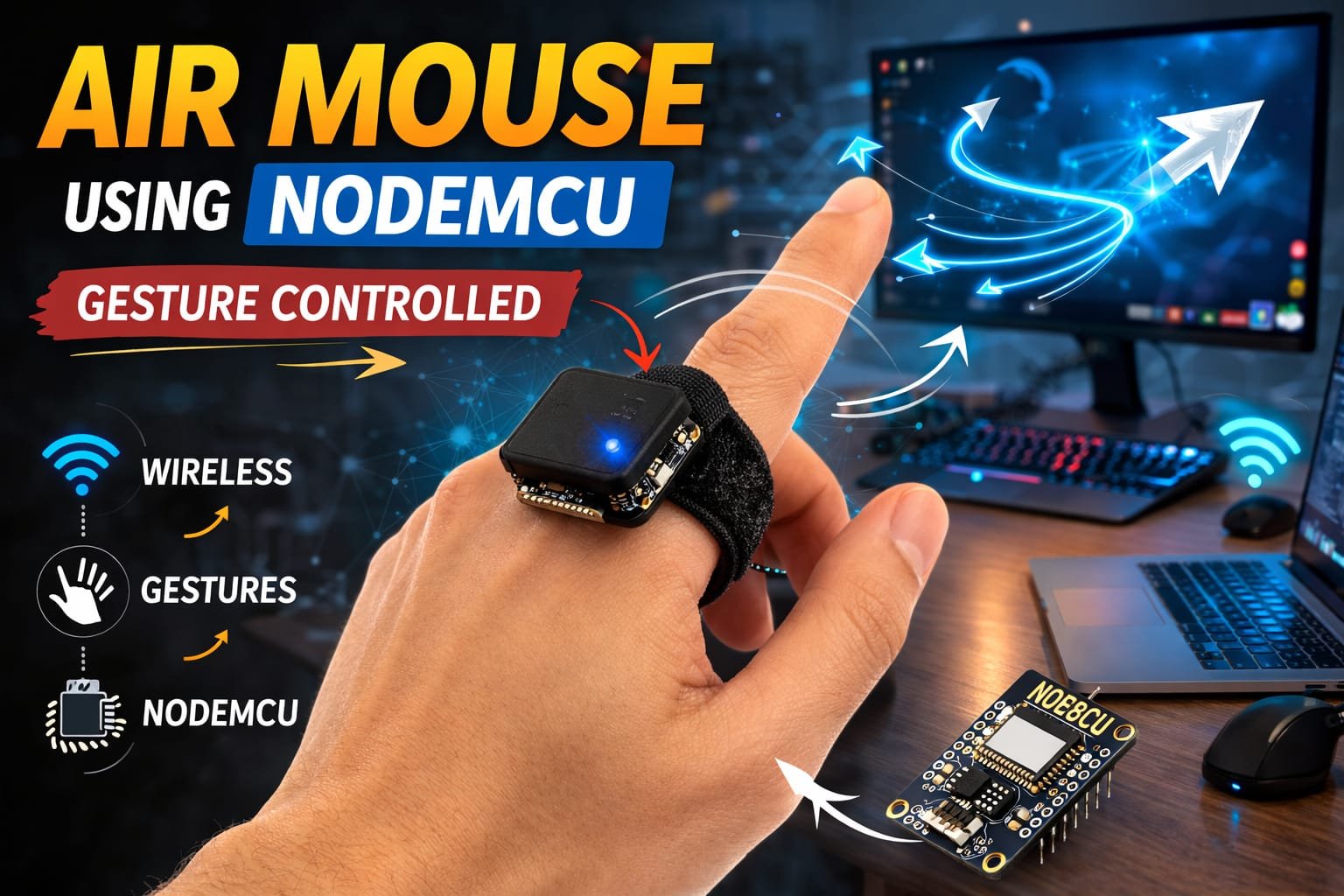
ESP8266 WiFi Air Mouse โ€“ Control Devices with Hand Gestures

๐Ÿ” Project Overview

This project is an Air Mouse system that allows users to control a computer or smart device wirelessly using hand gestures. The system uses an MPU6050 motion sensor to detect hand movement and orientation. The ESP8266 (NodeMCU) connects via WiFi to send gesture commands to a computer or web-based interface.

When a user moves or tilts their hand, the sensor data is transmitted to the ESP8266, which interprets the gestures and controls the cursor movement, clicks, or scrolling. This creates a touchless, gesture-controlled interface for computers or IoT devices.

โš™๏ธ How It Works (Short & Simple)

๐Ÿ–๏ธ Gesture Detection
The MPU6050 sensor detects hand movement (tilt, roll, pitch) and orientation.

๐Ÿ“ก Sensor Data Transmission
The NodeMCU ESP8266 processes the sensor data and sends it via WiFi to a computer or web interface.

๐Ÿง  Gesture Recognition
The software running on the ESP8266 maps specific hand movements to mouse actions, such as moving the cursor, left/right click, or scrolling.

๐Ÿ–ฑ๏ธ Air Mouse Control
The recognized gestures are converted into cursor movements or clicks on the connected device in real-time.

Example actions:

  • ๐Ÿ‘† Hand tilt forward โ†’ Move cursor up
  • ๐Ÿ‘‡ Hand tilt backward โ†’ Move cursor down
  • ๐Ÿ‘ˆ Hand tilt left โ†’ Move cursor left
  • ๐Ÿ‘‰ Hand tilt right โ†’ Move cursor right
  • โœ‹ Hand gesture โ†’ Left click
  • โœŒ๏ธ Two-finger gesture โ†’ Right click

๐Ÿ› ๏ธ Hardware Used

  • ESP8266 NodeMCU
  • MPU6050 Gyroscope & Accelerometer
  • Micro USB Cable / Battery for NodeMCU
  • Jumper Wires
  • Breadboard (optional for prototyping)
  • Computer / Device for receiving WiFi commands

โœจ Key Features

โœ” Wireless gesture control via WiFi
โœ” Real-time cursor movement and clicks
โœ” Uses MPU6050 for hand motion detection
โœ” Portable, no physical mouse required
โœ” Easy integration with computers or IoT devices
โœ” Low-cost and DIY-friendly
โœ” Touchless interface for accessibility

๐Ÿ“ˆ Applications

๐Ÿ–ฅ๏ธ Contactless computer control
๐ŸŽฎ Gaming and interactive applications
๐Ÿฅ Assistive technology for differently-abled users
๐Ÿ“š Robotics and IoT projects
๐ŸŒ Smart home device control
๐ŸŽ“ Research in human-computer interaction

๐Ÿš€ Future Scope

๐Ÿ“ฑ Add mobile or tablet app interface for control
๐ŸŒ Use MQTT or WebSocket for IoT integration
๐Ÿง  Implement AI/ML for gesture recognition and customization
๐ŸŽจ Add multi-axis gesture support for advanced control
๐Ÿ“บ Integrate with smart TVs or projectors

๐Ÿ‘ Advantages

โœ” Enables touchless device control
โœ” Portable and wireless system
โœ” Low-cost solution using ESP8266
โœ” Real-time response to gestures
โœ” Scalable and upgradable with AI or IoT features
โœ” Improves accessibility for users with physical limitations

โš ๏ธ Precautions

โš ๏ธ Ensure MPU6050 is calibrated for accurate gesture detection
โš ๏ธ Protect electronics from moisture or impact
โš ๏ธ Use stable WiFi network to reduce latency
โš ๏ธ Avoid sudden extreme movements that may damage sensor
โš ๏ธ Secure wiring to prevent disconnections during hand motion
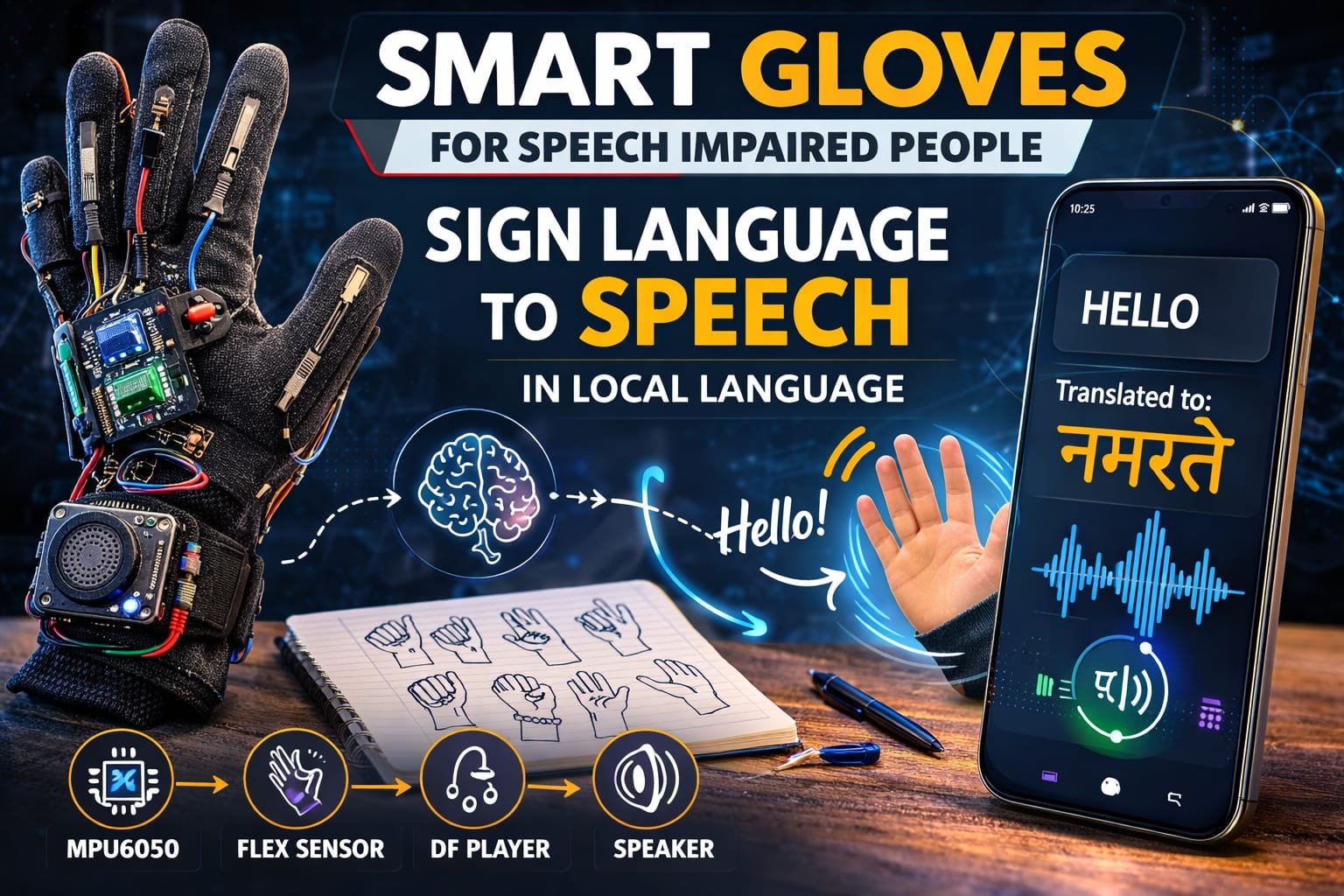
๐Ÿงค Smart Sign Language Gloves using MPU6050, Flex Sensors & DFPlayer


๐Ÿ” Project Overview

This project is a Smart Sign Language Translation Glove designed to help non-speaking or speech-impaired people communicate easily. The system uses flex sensors and an MPU6050 motion sensor to detect hand gestures and finger movements used in sign language.

When a user performs a specific hand gesture, the sensors send data to the microcontroller (Arduino Nano/Arduino Uno). The microcontroller processes the gesture and converts it into a predefined message.

The translated message is then played as audio through a speaker using the DFPlayer Mini module, allowing other people to understand the user’s communication in local spoken language.

This wearable system acts as a real-time sign language interpreter, bridging the communication gap between speech-impaired individuals and normal speakers.


โš™๏ธ How It Works (Short & Simple)

๐Ÿงค Gesture Detection
Flex sensors attached to the fingers detect bending of fingers, while the MPU6050 sensor detects hand orientation and motion.

๐Ÿ“ก Sensor Data Processing
The sensor data is sent to the Arduino microcontroller, which analyzes the gesture pattern.

๐Ÿง  Gesture Recognition
The Arduino program compares the detected gesture with predefined sign language gestures stored in the system.

๐Ÿ”Š Audio Output Generation
Once a gesture is recognized, the Arduino sends a command to the DFPlayer Mini module.

๐ŸŽต Voice Playback
The DFPlayer plays the corresponding audio message through the speaker in the local language.

Example translations:

  • ๐Ÿคš Hand gesture โ†’ “Hello”
  • โœ‹ Gesture โ†’ “I need help”
  • ๐Ÿ‘‹ Gesture โ†’ “Thank you”

๐Ÿ› ๏ธ Hardware Used

  • Arduino Nano / Arduino Uno
  • MPU6050 Gyroscope & Accelerometer
  • Flex Sensors (4โ€“5 pieces)
  • DFPlayer Mini MP3 Module
  • Speaker
  • Micro SD Card (for audio files)
  • Gloves
  • Resistors
  • Jumper Wires
  • Battery Power Supply

โœจ Key Features

โœ” Wearable smart communication glove
โœ” Converts sign language gestures into voice output
โœ” Uses flex sensors to detect finger bending
โœ” Uses MPU6050 to detect hand motion and orientation
โœ” Audio output in local language using DFPlayer Mini
โœ” Portable and easy-to-use assistive device
โœ” Low-cost solution for speech-impaired communication
โœ” Real-time gesture recognition


๐Ÿ“ˆ Applications

๐Ÿง Assistive technology for speech-impaired people
๐Ÿฅ Healthcare communication devices
๐ŸŽ“ Research in human-computer interaction
๐Ÿค– Gesture recognition systems
๐Ÿ“š Educational electronics and robotics projects
๐ŸŒ Sign language translation systems


๐Ÿš€ Future Scope

๐Ÿ“ฑ Add mobile app for text display and translation
๐ŸŒ Integrate IoT cloud-based translation system
๐Ÿง  Use AI and machine learning for better gesture recognition
๐ŸŒ Support multiple languages
๐Ÿ“บ Add OLED display for text output
๐ŸŽค Convert gestures into real-time speech synthesis


๐Ÿ‘ Advantages

โœ” Helps speech-impaired individuals communicate easily
โœ” Portable and wearable device
โœ” Real-time voice output
โœ” Low-cost and scalable design
โœ” Easy to upgrade with AI and IoT technologies
โœ” Improves accessibility and social interaction


โš ๏ธ Precautions

โš ๏ธ Ensure flex sensors are properly placed on fingers
โš ๏ธ Protect electronic components from sweat or moisture
โš ๏ธ Use proper power regulation for sensors and modules
โš ๏ธ Secure wiring to prevent damage during hand movement
โš ๏ธ Calibrate sensors for accurate gesture detection

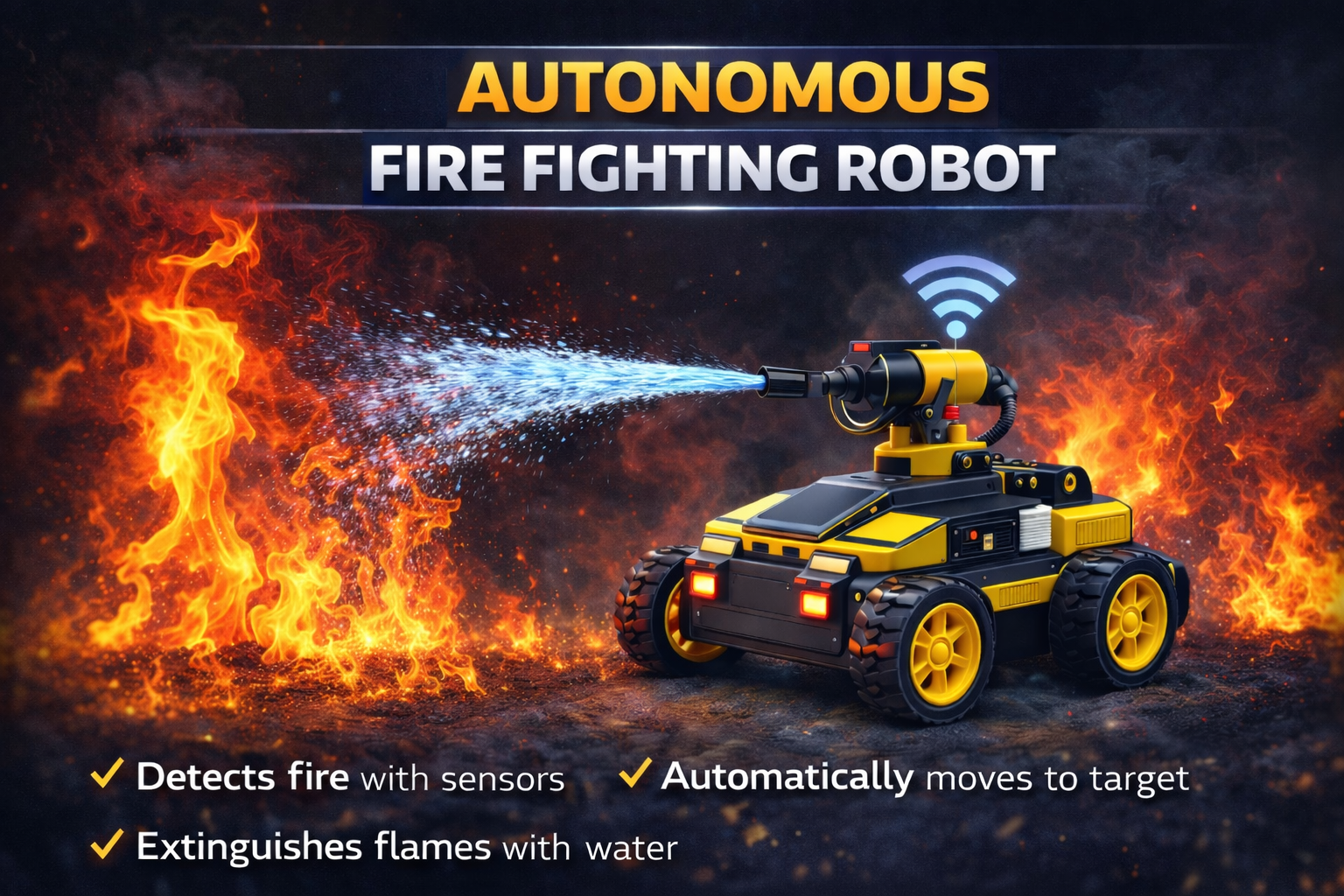
๐Ÿ”ฅ Autonomous Fire Fighting Robot


๐Ÿ” Project Overview

This project is an Autonomous Fire Fighting Robot designed to automatically detect and extinguish fire in small environments such as rooms, laboratories, warehouses, and industrial areas. The system is built using an Arduino Uno, flame sensors, DC motors, a servo motor, and a water pump mechanism.

The robot continuously monitors its surroundings using multiple flame sensors placed at different directions (left, right, and forward). When fire is detected, the robot automatically moves toward the flame source and activates the extinguishing system.

A servo motor rotates the water nozzle while the pump sprays water to suppress the fire. Once the fire is extinguished, the robot stops and resumes monitoring the environment.


โš™๏ธ How It Works (Short & Simple)

๐Ÿ”Ž Fire Detection

Three flame sensors detect fire in different directions:

โ€ข Left sensor
โ€ข Right sensor
โ€ข Forward sensor

These sensors send signals to the Arduino Uno.


๐Ÿค– Robot Navigation

Two DC motors controlled through motor driver pins allow the robot to move:

โ€ข Forward
โ€ข Left
โ€ข Right
โ€ข Stop

The robot moves toward the detected flame direction.


๐ŸŽฏ Target Alignment

If the forward sensor detects fire, the robot moves straight toward the flame source.

If the left or right sensor detects fire, the robot turns in that direction.


๐Ÿ’ง Fire Extinguishing System

Once the robot reaches the fire source:

โ€ข The water pump activates.
โ€ข The servo motor rotates the nozzle.
โ€ข Water is sprayed across the flame area.

This sweeping motion increases the extinguishing coverage.


๐Ÿ›‘ Fire Suppression Complete

When the fire is extinguished:

โ€ข The pump turns OFF
โ€ข The servo returns to center position
โ€ข The robot stops and resumes monitoring


๐Ÿ› ๏ธ Hardware Used

โ€ข Arduino Uno
โ€ข Flame Sensors (3x)
โ€ข Servo Motor
โ€ข Water Pump
โ€ข DC Gear Motors (2x)
โ€ข Motor Driver Module
โ€ข Robot Chassis with wheels
โ€ข Battery Power Supply
โ€ข Jumper Wires
โ€ข Water Tank


โœจ Key Features

โœ” Automatic fire detection system
โœ” Autonomous robot navigation
โœ” Multi-direction flame sensing
โœ” Servo-controlled water spray nozzle
โœ” Automatic water pump activation
โœ” Compact robotic fire suppression system
โœ” Low-cost safety robotics project
โœ” Continuous environmental monitoring


๐Ÿ“ˆ Applications

โ€ข Industrial fire safety systems
โ€ข Warehouse fire monitoring
โ€ข Laboratory safety robots
โ€ข Home fire detection prototypes
โ€ข Robotics and automation research
โ€ข Educational robotics projects
โ€ข Smart building safety systems


๐Ÿš€ Future Scope

โ€ข Add ESP32-CAM for live fire monitoring
โ€ข IoT-based fire alert system
โ€ข GSM notification system for emergencies
โ€ข Autonomous indoor navigation using sensors
โ€ข Smoke and gas detection integration
โ€ข Fire alarm integration with smart systems


๐Ÿ‘ Advantages

โ€ข Rapid fire detection and response
โ€ข Reduces human risk during fire incidents
โ€ข Automatic extinguishing system
โ€ข Low-cost robotic safety solution
โ€ข Portable and lightweight design
โ€ข Easy to upgrade with IoT technologies


โš ๏ธ Precautions

โ€ข Ensure proper insulation for water pump wiring
โ€ข Use stable battery power for motors and pump
โ€ข Keep electronic components protected from water leakage
โ€ข Regularly test flame sensors for accuracy
โ€ข Avoid using near high-voltage equipment
โ€ข Ensure water tank is filled before operation

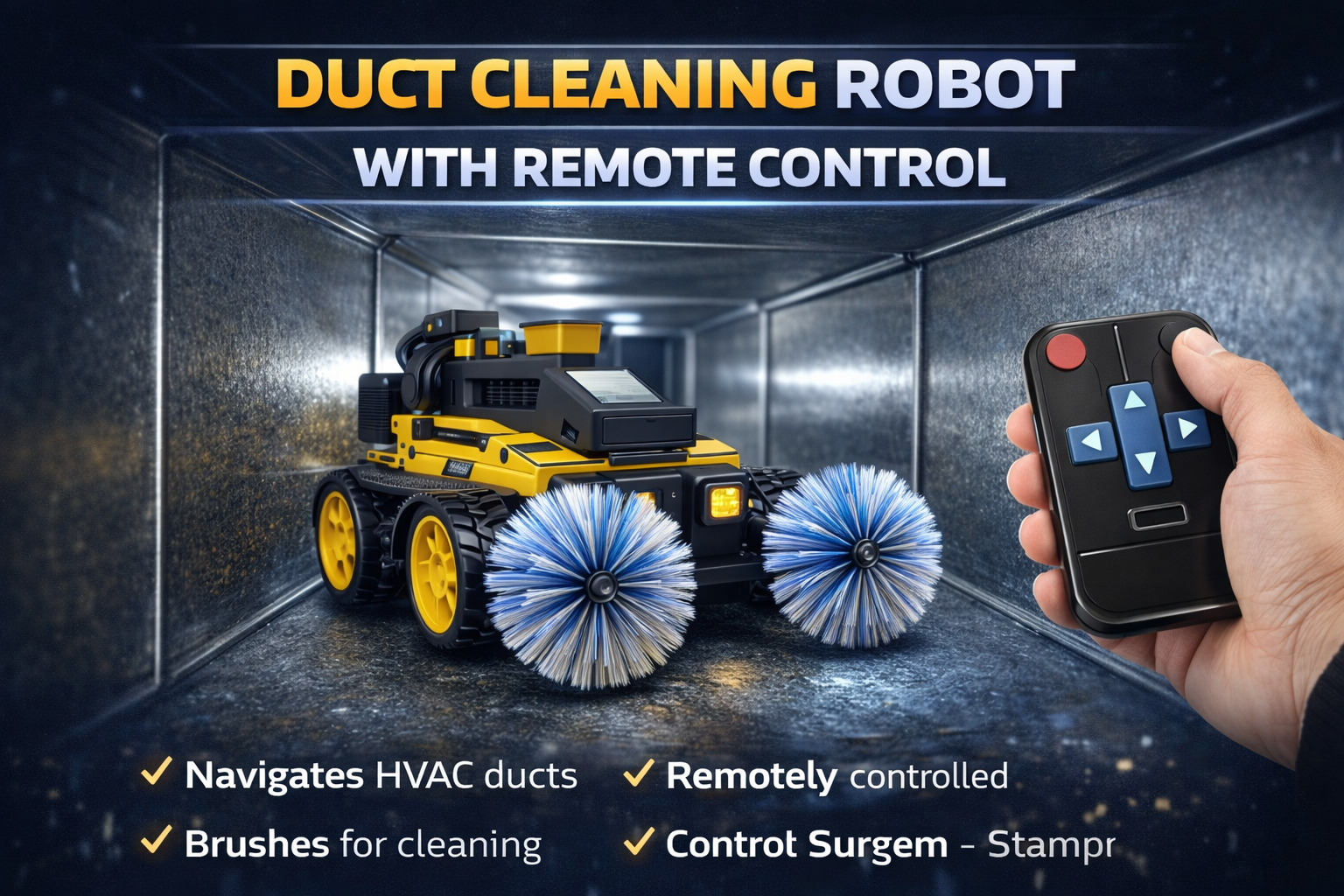
๐Ÿงน Duct Cleaning Robot with Remote Control

๐Ÿ” Project Overview

This project is a Duct Cleaning Robot with Remote Control designed to clean ventilation ducts, pipelines, and narrow industrial passages where manual cleaning is difficult or unsafe. The system is built using an Arduino Uno, motor driver modules, DC motors, and directional control switches.

The robot can be controlled using push-button commands that allow the operator to navigate the robot inside ducts and confined spaces. By pressing directional buttons, the robot moves forward, backward, left, or right to reach dust accumulation areas.

The robotic platform can also include rotating brushes or cleaning attachments to remove dust, debris, and contaminants from HVAC duct surfaces while moving through the pipeline.


โš™๏ธ How It Works (Short & Simple)

๐ŸŽฎ Remote Control Operation

Directional push buttons send control signals to the Arduino Uno, allowing the operator to control robot movement inside the duct.

๐Ÿค– Robot Movement

Two DC motors controlled through motor driver pins allow the robot to move:

โ€ข Forward
โ€ข Backward
โ€ข Left
โ€ข Right
โ€ข Stop

๐Ÿงญ Navigation in Ducts

The robot moves inside HVAC ducts and pipelines using wheels designed to travel through narrow and confined spaces.

๐Ÿงน Cleaning Mechanism

Rotating brushes or cleaning attachments mounted on the robot help remove dust, debris, and particles from duct surfaces.

โšก Control Signal Processing

The microcontroller continuously reads button inputs using digital signals and activates motor outputs accordingly.

๐Ÿ›‘ Safety Stop

If no control button is pressed, the robot automatically stops to prevent accidental movement.


๐Ÿ› ๏ธ Hardware Used

โ€ข Arduino Uno
โ€ข Motor Driver Module
โ€ข DC Gear Motors (2x)
โ€ข Robot Chassis with wheels
โ€ข Push Button Remote Controller
โ€ข Cleaning Brush Mechanism
โ€ข Battery Power Supply
โ€ข Jumper Wires
โ€ข Breadboard (for testing)


โœจ Key Features

โœ” Remote controlled duct cleaning robot
โœ” Compact design for narrow pipelines and ducts
โœ” Four-direction movement control
โœ” Simple and reliable Arduino-based system
โœ” Low-cost inspection and cleaning solution
โœ” Easy to upgrade with cameras or sensors
โœ” Suitable for industrial maintenance tasks
โœ” Lightweight robotic platform


๐Ÿ“ˆ Applications

โ€ข HVAC duct cleaning systems
โ€ข Industrial pipeline inspection
โ€ข Ventilation maintenance robots
โ€ข Hazardous environment inspection
โ€ข Robotics and automation research
โ€ข Educational robotics projects
โ€ข Dust and debris removal in confined spaces


๐Ÿš€ Future Scope

โ€ข Add ESP32-CAM for live video monitoring
โ€ข Wireless control using Bluetooth or WiFi modules
โ€ข Obstacle detection using ultrasonic sensors
โ€ข Automatic navigation inside ducts
โ€ข Dust suction or vacuum cleaning mechanism
โ€ข IoT monitoring system for remote inspection


๐Ÿ‘ Advantages

โ€ข Reduces manual cleaning effort in ducts
โ€ข Improves worker safety in confined spaces
โ€ข Low-cost robotic cleaning solution
โ€ข Simple and reliable control system
โ€ข Portable and lightweight design
โ€ข Expandable with sensors and cameras


โš ๏ธ Precautions

โ€ข Ensure proper battery voltage for motor operation
โ€ข Secure all wiring connections before operation
โ€ข Avoid operating in extremely wet environments
โ€ข Regularly clean brush mechanisms to maintain efficiency
โ€ข Check motor driver temperature during long operation
โ€ข Ensure proper ventilation inside ducts during operation

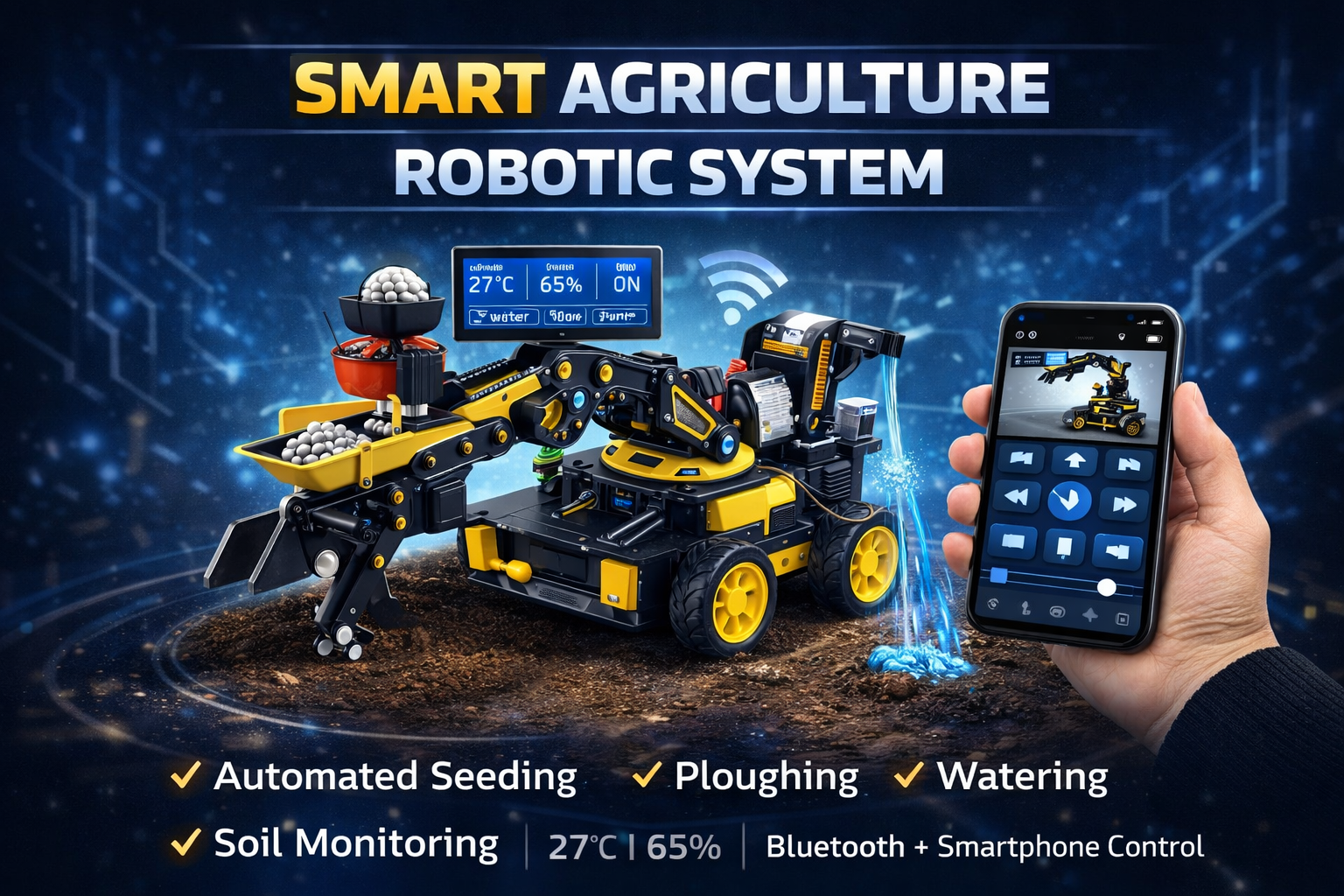
๐ŸŒพ Smart Agriculture Robotic System


๐Ÿ” Project Overview

This project is an automated Smart Agriculture Robot designed to assist farmers with multiple farming tasks such as ploughing, seeding, watering, and soil monitoring. The system is built using an Arduino Uno, environmental sensors, servo mechanisms, and a Bluetooth communication interface.

The robot can be remotely controlled through a smartphone application via an HC-05 while also monitoring environmental parameters such as temperature, humidity, and soil moisture.

The collected data is displayed on a 16ร—2 LCD display, and automatic watering is activated when soil moisture levels drop below the safe threshold.


โš™๏ธ How It Works (Short & Simple)

Mobile App Control
A smartphone sends commands like *forward, *Water, *Seed, etc., via Bluetooth to control robot movement and farming operations.

Robot Movement
Two DC motors controlled through motor driver pins allow the robot to move:

  • Forward
  • Backward
  • Left
  • Right
  • Stop

Ploughing Mechanism
A servo motor lowers and lifts the ploughing tool to prepare the soil.

Seed Dispensing
Another servo controls the seed container, dropping seeds into the ploughed soil.

Watering System
A water pump and servo sprinkler irrigate crops when triggered manually or automatically.

Environmental Monitoring
A DHT11 measures temperature and humidity, while a soil moisture sensor monitors soil conditions.

Automatic Irrigation
If soil moisture is low, the system automatically activates the water pump.

Data Display & Transmission
Sensor data is displayed on the LCD and transmitted to the mobile device through Bluetooth.


๐Ÿ› ๏ธ Hardware Used

  • Arduino Uno
  • HC-05
  • DHT11
  • Soil Moisture Sensor
  • 16ร—2 LCD Display (I2C)
  • Water Pump
  • Servo Motors (4x)
  • DC Gear Motors (2x)
  • Motor Driver Module
  • Robot Chassis with wheels
  • Battery Power Supply
  • Jumper Wires & Breadboard

โœจ Key Features

โœ” Multi-functional farming robot
โœ” Remote control via Bluetooth smartphone app
โœ” Automatic irrigation based on soil moisture
โœ” Temperature and humidity monitoring
โœ” LCD real-time data display
โœ” Integrated ploughing and seeding mechanism
โœ” Low-cost smart farming solution
โœ” Compact robotic platform


๐Ÿ“ˆ Applications

Smart farming automation
Precision agriculture research
Agricultural robotics demonstration
Educational robotics projects
Farm monitoring systems
Small-scale crop automation
IoT agriculture prototypes


๐Ÿš€ Future Scope

GPS-based autonomous navigation
IoT cloud monitoring dashboard
AI-based crop health monitoring
Solar-powered robotic farming system
Camera-based crop detection
Mobile app with live data dashboard
Automatic path planning for field coverage


๐Ÿ‘ Advantages

Reduces manual farming effort
Improves irrigation efficiency
Real-time environmental monitoring
Low-cost agricultural automation
Portable and scalable system
Easy to upgrade with IoT features


โš ๏ธ Precautions

Ensure stable power supply for motors and pump
Protect electronic components from water exposure
Use proper insulation for field operation
Avoid overloading the pump motor
Regularly clean soil sensors for accurate readings

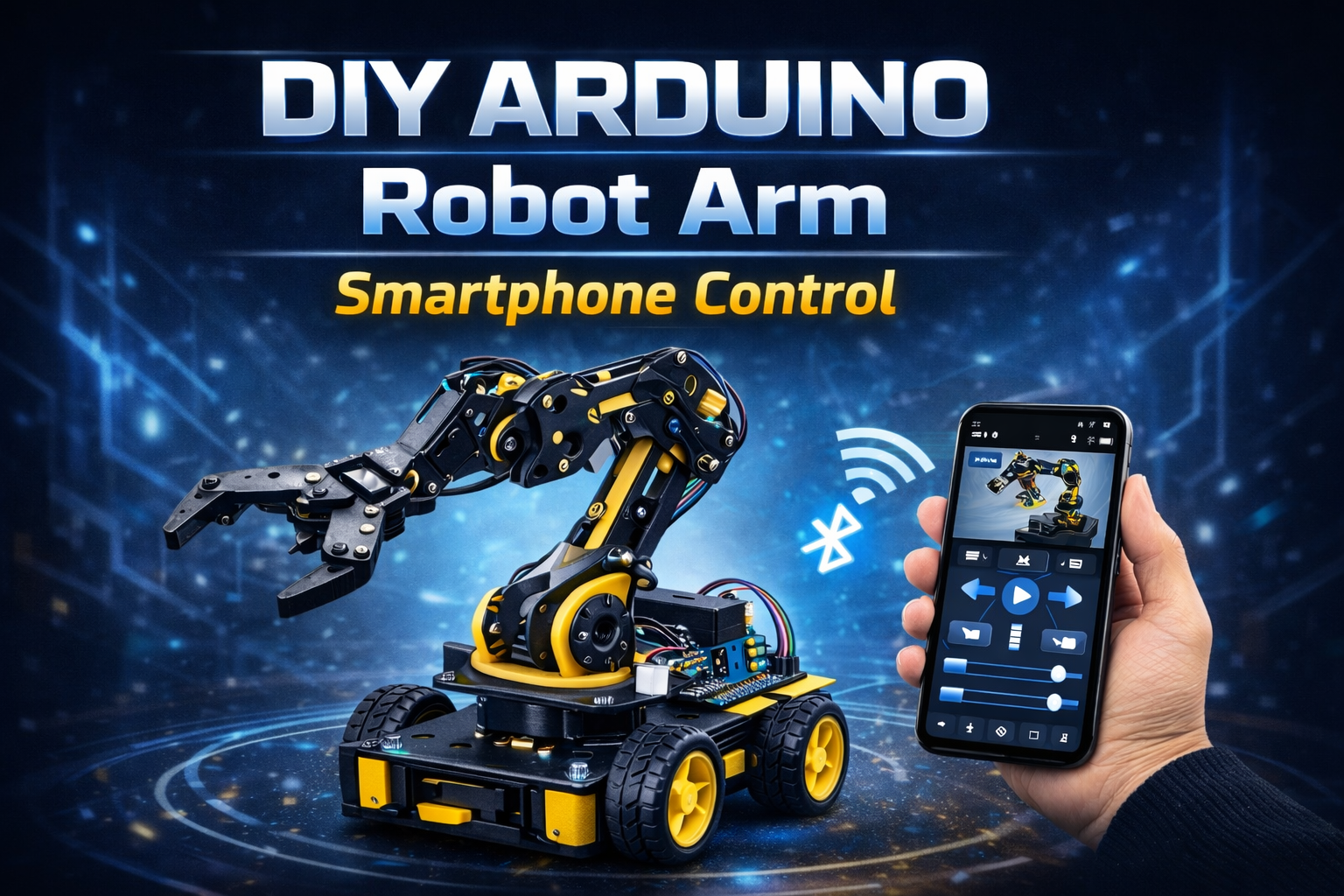
๐Ÿค– Arduino Robot Arm โ€“ Bluetooth Smartphone Control


๐Ÿ” Project Overview

This project uses an Arduino Uno, an HC-05 Bluetooth module, and a custom Android smartphone app to control a 6-DOF robotic arm wirelessly.

Each servo motor is controlled individually through sliders in the mobile app. The system also supports saving multiple movement positions and replaying them automatically in sequence.

The robot arm operates fully offline via Bluetooth communication.


๐Ÿ“ฑ Bluetooth App Name

You can use apps like:

  • Arduino Bluetooth Controller
  • Bluetooth Electronics (Keuwlsoft)
  • Custom MIT App Inventor App

If you want branding for your website project section, recommended name:
โ€œRoboArm BT Controlโ€


โš™๏ธ How It Works (Short & Simple)

Bluetooth Connection
Smartphone connects to HC-05 module via Bluetooth (38400 baud rate).

App Sends Commands
Each slider sends data like:

  • s1XXX โ†’ Servo 1 position
  • s2XXX โ†’ Servo 2 position
  • up to s6XXX

Smooth Servo Movement
Arduino gradually moves servos using incremental loops for smooth motion.

Save Positions
Press SAVE โ†’ stores all 6 servo angles into arrays.

Run Automatic Mode
Press RUN โ†’ replays saved steps continuously.

Pause / Reset

  • PAUSE โ†’ temporary stop
  • RESET โ†’ clears memory

๐Ÿ› ๏ธ Hardware Used

  • Arduino Uno
  • HC-05
  • 6x Servo Motors (MG996R / SG90 depending on load)
  • Robot Arm Acrylic / Metal Frame
  • External 5โ€“6V Servo Power Supply
  • Breadboard & Jumper Wires
  • Android Smartphone

โœจ Key Features

โœ” 6 Degrees of Freedom (6 DOF)
โœ” Individual servo slider control
โœ” Smooth speed-controlled motion
โœ” Save & replay movement sequences
โœ” Adjustable movement speed
โœ” Fully offline Bluetooth control
โœ” Expandable for automation


๐Ÿ“ˆ Applications

Pick and place prototype
Industrial automation demo
Robotics learning project
STEM education
Small object manipulation
Assembly line simulation
Research experiments


๐Ÿš€ Future Scope

Wi-Fi control using ESP32
Voice control integration
AI object detection + auto pick
Camera-based vision system
Mobile app UI improvement
Cloud-based movement storage
Gesture control using accelerometer


๐Ÿ‘ Advantages

Low-cost build
Wireless control
Easy to program
Expandable system
Good for beginners & advanced robotics students
Real-time manual + automatic control


โš ๏ธ Precautions

Use separate power supply for servos
Do not power servos directly from Arduino 5V
Avoid sudden load on arm joints
Secure mechanical screws properly
Ensure correct Bluetooth pairing
Prevent overheating during long runs

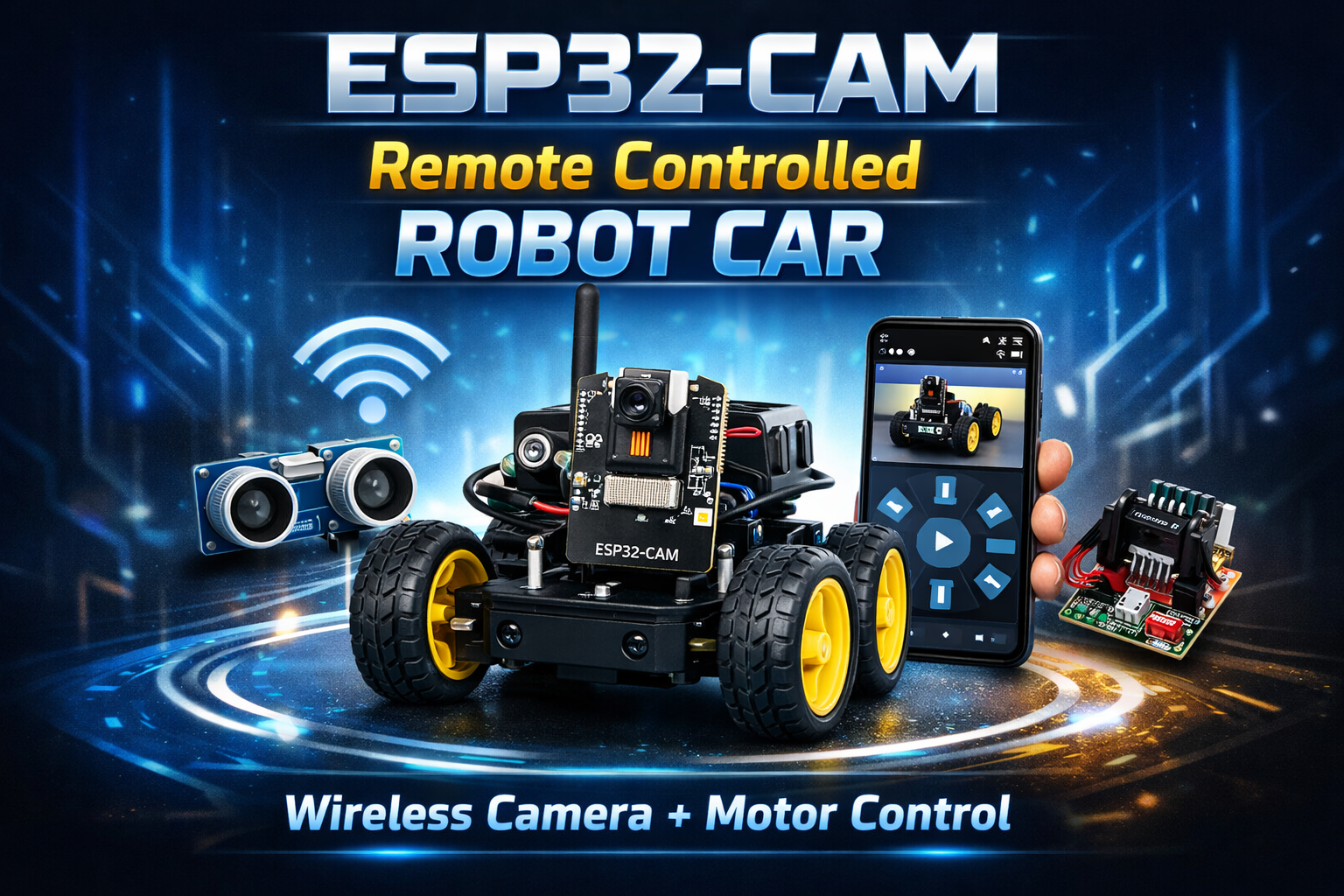
๐Ÿ“ท ESP32-CAM Remote Controlled Robot Car


๐Ÿ” Project Overview

This project uses an ESP32-CAM module to build a Wi-Fi controlled robot car with live video streaming and real-time motor control. The robot can be operated from a mobile browser over Wi-Fi while transmitting live camera feed.

The system runs independently using the ESP32โ€™s built-in Wi-Fi โ€” no external microcontroller required. It is suitable for surveillance, robotics learning, and IoT-based automation projects.


โš™๏ธ How It Works (Short & Simple)

Camera streams live video
The ESP32-CAM captures and streams video over Wi-Fi through a web server hosted on the board.

Mobile connects via Wi-Fi
User connects to the ESP32โ€™s IP address using a smartphone browser.

Motor driver controls movement
A motor driver module (like L298N or L293D) receives GPIO signals from ESP32 to control direction:

  • Forward
  • Backward
  • Left
  • Right
  • Stop

Real-time monitoring
User sees live camera feed while controlling the robot.

Standalone system
No cloud dependency โ€” works on local Wi-Fi network.


๐Ÿ› ๏ธ Hardware Used

  • ESP32-CAM
  • L298N / L293D Motor Driver Module
  • 4WD Robot Chassis
  • DC Gear Motors
  • Li-ion Battery Pack (7.4V recommended)
  • FTDI Programmer (for uploading code)
  • Jumper Wires
  • Power switch

โœจ Key Features

โœ” Live Wi-Fi video streaming
โœ” Real-time remote control via mobile
โœ” No external microcontroller required
โœ” Built-in camera module
โœ” Lightweight and low-cost solution
โœ” Runs fully on ESP32
โœ” Suitable for IoT & robotics projects
โœ” Easy web-based interface


๐Ÿ“ˆ Applications

Home surveillance robot
College robotics demonstration
Industrial inspection robot
Smart security vehicle
Warehouse monitoring
Research & AI experimentation
Remote controlled educational robot
Disaster area inspection prototype


๐Ÿš€ Future Scope

AI object detection integration
Face recognition system
Two-way audio communication
Cloud video storage
Mobile app interface (Flutter / Android)
Night vision IR camera integration
Obstacle avoidance using ultrasonic sensor
GPS tracking system


๐Ÿ‘ Advantages

Low-cost hardware
Compact design
Wireless operation
Portable system
Real-time monitoring
Easy to modify and upgrade
Good for beginners & advanced learners


โš ๏ธ Precautions

Use proper 5V regulated power supply
Do not power motors directly from ESP32
Ensure stable Wi-Fi signal
Avoid overheating (add small heat sink if needed)
Secure wiring properly to prevent short circuit
Upload code carefully using correct boot mode

Crowd Safety Detection System Using Raspberry Pi & AI

๐Ÿ” Project Overview

This project uses a Raspberry Pi, Pi Camera, and MobileNet-SSD deep learning model to detect the number of people in real time. It marks people with bounding boxes, displays the count, and saves automatic snapshot logs at regular intervals.

The system runs independently on Raspberry Pi and is suitable for both indoor and outdoor monitoring.


โš™๏ธ How It Works (Short & Simple)

  1. Camera captures live video
    RPi Camera streams frames at 640ร—480 resolution.
  2. AI model detects humans
    MobileNet-SSD identifies “Person” class in each frame.
  3. People are counted
    Bounding boxes highlight each detected person.
  4. Auto-snapshot
    Every fixed interval (10 seconds by default), the system saves:
    • Image of the crowd
    • Timestamp
    • Detected count
  5. Excel logging (if enabled)
    Each record is stored in an Excel sheet for analysis.

๐Ÿ› ๏ธ Hardware Used

  • Raspberry Pi 4 / Pi 3
  • Raspberry Pi Camera Module (any version)
  • Micro SD card
  • Power supply
  • Internet for installation (optional later)

โœจ Key Features

โœ” AI-based person detection
โœ” Real-time crowd counting
โœ” Bounding box visualization
โœ” Auto image saving with timestamp
โœ” Optional Excel data logging
โœ” Lightweight model works smoothly on Raspberry Pi
โœ” No cloud needed โ€” runs fully offline


๐Ÿ“ˆ Applications

  • Mall & shop crowd monitoring
  • School/college safety
  • Industrial workplace monitoring
  • Public event analysis
  • Smart security systems
  • Queue management
  • Temple/church crowd analysis

๐Ÿš€ Future Scope

  • Email alert integration
  • Live dashboard via Flask web server
  • IoT cloud syncing (Firebase / AWS / Thingspeak)
  • SMS alerts using GSM module
  • Thermal camera support
  • Face mask + helmet detection
  • Real-time crowd density heatmap

๐Ÿ‘ Advantages

  • Works offline
  • Low power consumption
  • Low-cost hardware
  • Accurate for close-to-medium range
  • Easy image and data export
  • Highly customizable

โš ๏ธ Precautions

  • Ensure proper lighting for camera
  • Keep lens clean for best accuracy
  • Install camera firmly; avoid vibrations
  • Use heat-sink on Raspberry Pi to prevent throttling
  • Avoid exposing Pi Camera to sunlight for long durations

The Arduino Explorer: Smart Obstacle-Avoiding Robotย 

๐Ÿ” Project Overview

The Arduino Explorer is an intelligent robotic car powered by the versatile Arduino Uno R3. It autonomously navigates its environment using smart sensor technology to detect and avoid obstacles. This project is ideal for beginners and enthusiasts stepping into robotics, programming, and automation with Arduino.


โš™๏ธ How It Works (Short & Simple)

โ€ข Sensing (The Eyes)
The HC-SR04 Ultrasonic Sensor, mounted on a servo motor, continuously emits sound waves and measures the time for them to return, acting as the robotโ€™s eyes.

โ€ข Scanning
The SG90 / MG90S Servo Motor pivots the sensor left and right, giving the robot a wide field of view to identify the clearest path.

โ€ข Decision Making (The Brain)
The Arduino Uno processes distance data from the sensor. If an obstacle is detected, it decides whether to stop, reverse, or turn, ensuring safe navigation.

โ€ข Action (The Movement)
Commands from the Arduino drive the L298N Motor Driver Module, which directs power from the 12V battery pack to the four DC motors, allowing the robot to move and avoid obstacles efficiently.


โœจ Key Features

โœ” Arduino Uno-powered, beginner-friendly platform
โœ” Intelligent obstacle avoidance
โœ” Active scanning system via servo-mounted ultrasonic sensor
โœ” Four-wheel drive for excellent traction and maneuverability
โœ” Fully autonomous navigation


๐Ÿ› ๏ธ Core Components

โ€ข Brain: Arduino Uno R3
โ€ข Chassis: 4-Wheel Robot Platform
โ€ข Propulsion: 4 x DC Motors
โ€ข Motor Control: L298N Motor Driver Module
โ€ข Primary Sensor: HC-SR04 Ultrasonic Sensor
โ€ข Scanning Mechanism: SG90 / MG90S Servo Motor
โ€ข Power: 1 x 12V Battery Pack


๐Ÿ“ˆ Applications

โ€ข Beginner robotics learning
โ€ข Obstacle avoidance practice
โ€ข Autonomous vehicle prototypes
โ€ข STEM education and DIY projects
โ€ข Indoor navigation experiments


๐Ÿš€ Future Scope

โ€ข Add line-following functionality
โ€ข Integrate Bluetooth or Wi-Fi control
โ€ข Add camera for visual navigation
โ€ข Implement path planning algorithms
โ€ข Obstacle data logging and analytics


๐Ÿ‘ Advantages

โœ” Easy to program and customize
โœ” Fully autonomous obstacle avoidance
โœ” Compact, low-cost hardware
โœ” Scalable for more sensors and features


โš ๏ธ Precautions

โ€ข Ensure proper battery voltage and wiring
โ€ข Securely mount the sensor and servo
โ€ข Avoid exposing electronics to water or dust
โ€ข Test in a clear area to prevent damage

Smart Talking Robot Car

Meet Our Smart Talking Robot Car! ๐Ÿค–

Bring the power of Google Assistant to life with this interactive, mobile-controlled robot car. It’s not just a toy; it’s your personal assistant on wheels, ready to answer questions, follow commands, and explore its surroundings, all controlled from the palm of your hand.


Key Features โœจ

  • Google Assistant Integrated: Ask questions, get weather updates, or control smart devices. Your robot connects to Google Assistant through your mobile phone for endless possibilities.
  • Full Mobile Control: A dedicated mobile app gives you complete control over the robot’s movements and functions.
  • Wireless Bluetooth Connection: Enjoy a seamless and reliable connection between your phone and the robot for quick and easy operation.
  • Powerful 4-Motor Drive: The four-wheel-drive system provides robust mobility, allowing the robot to navigate various indoor surfaces with ease.
  • Clear Audio Output: An onboard speaker delivers clear sound for Google Assistant’s voice responses and other audio functions.

Technical Components โš™๏ธ

This project is built with a powerful combination of standard electronics:

  • Brain: A NodeMCU board manages all the processing and commands.
  • Connectivity: A Bluetooth module for wireless communication with your mobile device.
  • Mobility: Four DC motors paired with an L298N motor driver for precise control over movement.
  • Power: A robust power system using four 3.7V rechargeable batteries.

Search for products

Back to Top

Product Enquiry

Product has been added to your cart
Compare (0)